
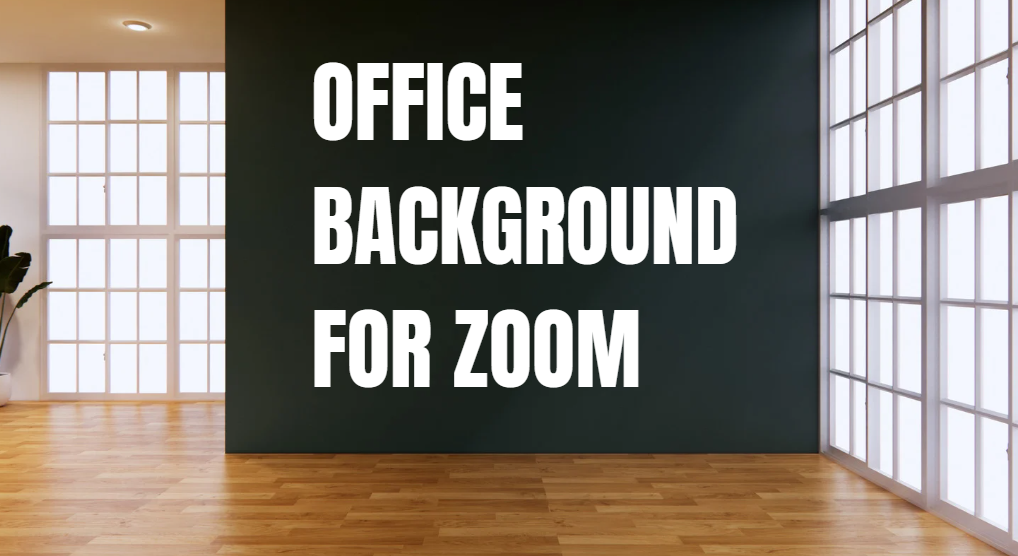
Office Background for Zoom
Working online is now very common. Zoom meetings are part of daily office life. One small thing that makes a big difference is your office background for Zoom. A clean and professional background helps you look confident, focused, and ready for work.
ALSO READ : Downloads Go on iPhone
This article will help you understand why Zoom office backgrounds matter and how to choose the best one easily.
Why Office Backgrounds for Zoom Are Important
Your Zoom background is the first thing people see behind you. It shows your work style and attitude.
A good office background:
- Makes you look professional
- Reduces distractions
- Helps others focus on you
- Builds trust in meetings
A messy or noisy background can make meetings less effective. That is why choosing the right Zoom background is very important.
Types of Office Backgrounds for Zoom
There are different types of office backgrounds you can use on Zoom. Choose one that fits your work and personality.
1. Real Home Office Background
This is your actual room or office space.
Tips to make it look good:
- Clean the space behind you.
- Use a simple wall or bookshelf
- Avoid clutter and bright colors.
This type feels natural and honest.
2. Virtual Office Background
Zoom allows you to use virtual backgrounds. These are images that replace your real background.
Popular virtual office backgrounds include:
- Modern office rooms
- Simple desks with plants
- Light-colored walls
Virtual backgrounds are great if your real space is not ready.
3. Blurred Background
A blurred background keeps the focus on you while hiding details.
Best for:
- Small rooms
- Shared spaces
- Quick meetings
It looks clean and professional without effort.
How to Choose the Best Office Background for Zoom
Choosing the right background is easy if you follow these simple steps.
Keep It Simple
Simple backgrounds look better on camera. Avoid busy designs, heavy patterns, or dark images.
Use Soft Colors
Light colors like white, grey, or light blue work best. They are easy on the eyes and look calm.
Match Your Job Style
- Corporate jobs: clean office or plain wall
- Creative jobs: modern office with small decor
- Teaching or coaching: bookshelf or study room
Best Lighting for Office Background on Zoom
Lighting is as important as the background.
Good lighting tips:
- Face a window if possible
- Use a desk lamp in front of you.
- Avoid strong light behind you.
Good light makes your background and face look clear and professional.
Common Mistakes to Avoid in Zoom Office Backgrounds
Many people make small mistakes that affect their Zoom look.
Avoid these:
- Messy beds or kitchens behind you
- Moving objects like fans or TVs
- Very dark or very bright images
- Funny or unprofessional pictures
Your background should support your image, not distract from it.
Free Office Backgrounds for Zoom
You can find free Zoom office backgrounds online. Many websites offer simple and clean office images.
When choosing a free background:
- Check image quality
- Choose high resolution
- Pick realistic office designs
Always test the background before a real meeting.
How Office Background for Zoom Improves Communication
A good background helps people focus on your words. It reduces eye movement and distraction.
Benefits include:
- Better attention from others
- More confidence while speaking
- Strong professional impression
This is very useful for interviews, presentations, and team meetings.
FAQs
Q1: What is the best office background for Zoom?
The best background is clean, simple, and professional. A light-colored office or blurred background works well.
Q2: Can I use a virtual background without a green screen?
Yes, Zoom allows virtual backgrounds without a green screen, but good lighting helps improve quality.
Q3: Is a blurred background better than a virtual one?
Both are good. A blurred background looks more natural, while a virtual office background looks more formal.
Q4: Should I change my Zoom background for every meeting?
No. You can keep one professional background for all meetings unless the meeting style changes.
Q5: Do Zoom backgrounds affect performance?
Simple backgrounds do not affect performance. Heavy or animated backgrounds may slow your system.
Final Thoughts
Choosing the right office background for Zoom is simple but powerful. It helps you look professional, confident, and ready for work. Whether you use a real office, a virtual image, or a blurred background, always keep it clean and simple.
A good background supports your success in online meetings. Take a few minutes to set it up, and you will see a big difference.